Seal

We've been busy

Time kills all deals, so that means we ship daily and integrate your feedback quickly. We want to share what's new with you every week.

FeatureMessages

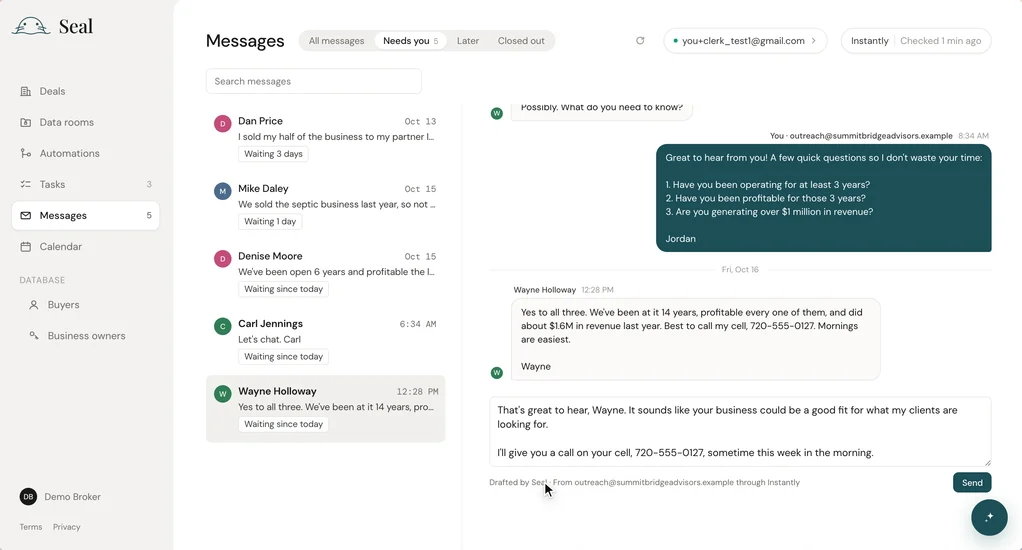
Replies from your outreach, sorted for you

Replies to your cold email campaigns now auto-sort into three tabs in Messages:

  • Needs you: leads waiting on an answer, sorted by the longest wait time first, so nobody waits two weeks without a reply.
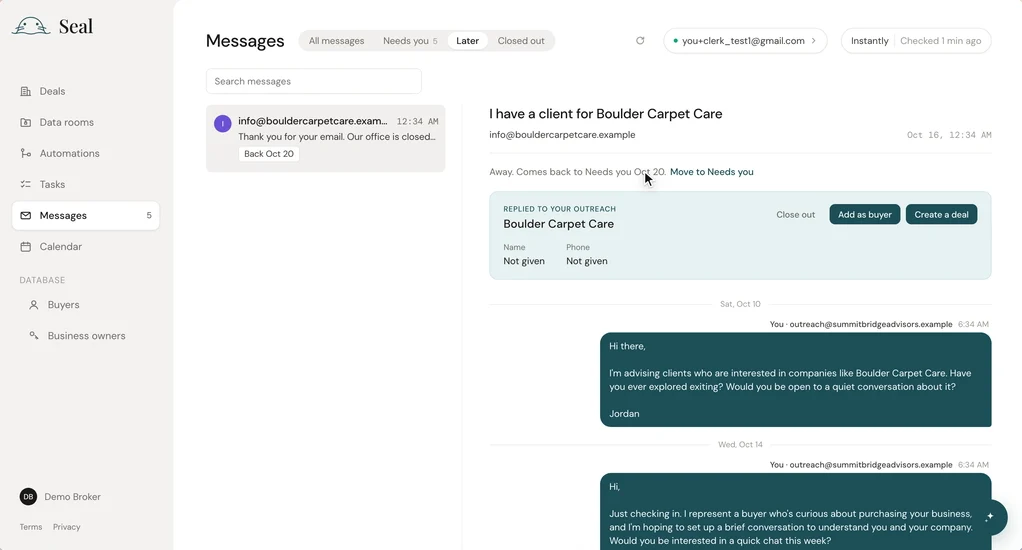
  • Later: out-of-office replies, marked with the day the person is back. They move back to Needs you when it's time to follow up.
  • Closed out: not interested, wrong person or not now, so they stay out of your way.
An answer, already drafted

When you open a reply, Seal has already drafted a response that matches your voice from your past replies. If a lead points you to someone else ("talk to my partner Mike"), Seal shows you who, with their email and phone ready to copy.
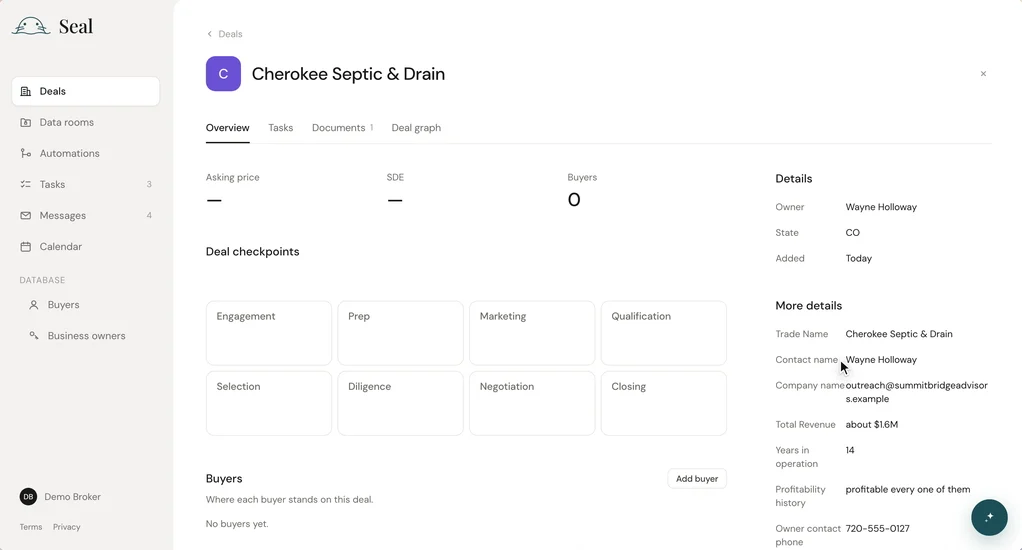
From reply to deal in one step

When you turn a reply into a deal, Seal fills in the business's state, the owner's contact details and the campaign it came from.
FeatureBuyers, owners, deals

Edit buyers, owners and deals in place

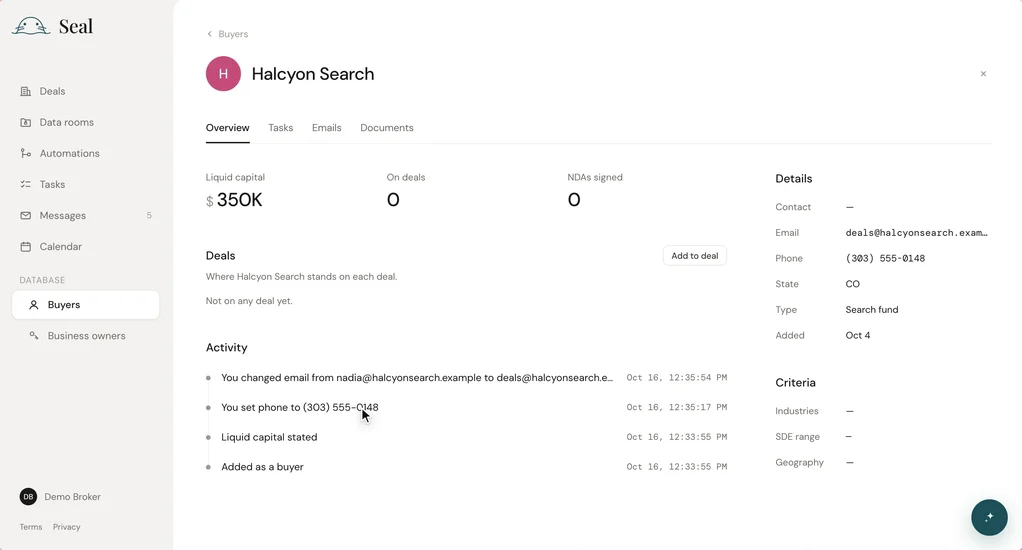
Click a buyer's, owner's or deal's name, or any detail like phone, email, state or buyer type, and change it right there. Every edit saves to the activity log, so you can always see what changed and when.

FeatureTasks

Your own tasks, with due dates

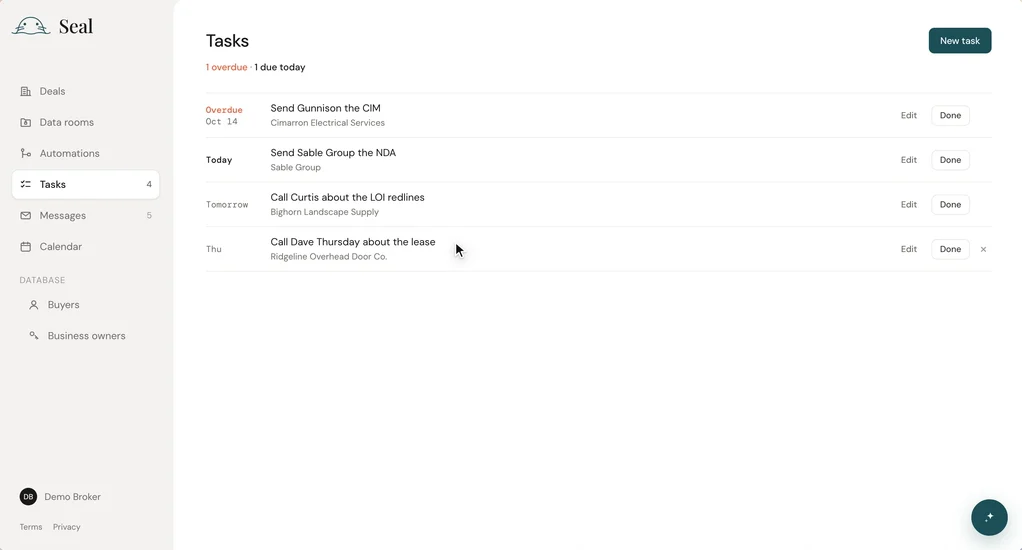
You can now create your own todo Tasks (like "Call Dave Thursday"), assign them a due date and link them to a deal, buyer or owner. Tasks are grouped into Overdue, Today, Tomorrow and later. Finished tasks are saved to the associated deal, buyer, or owner history.

ImprovementDeals

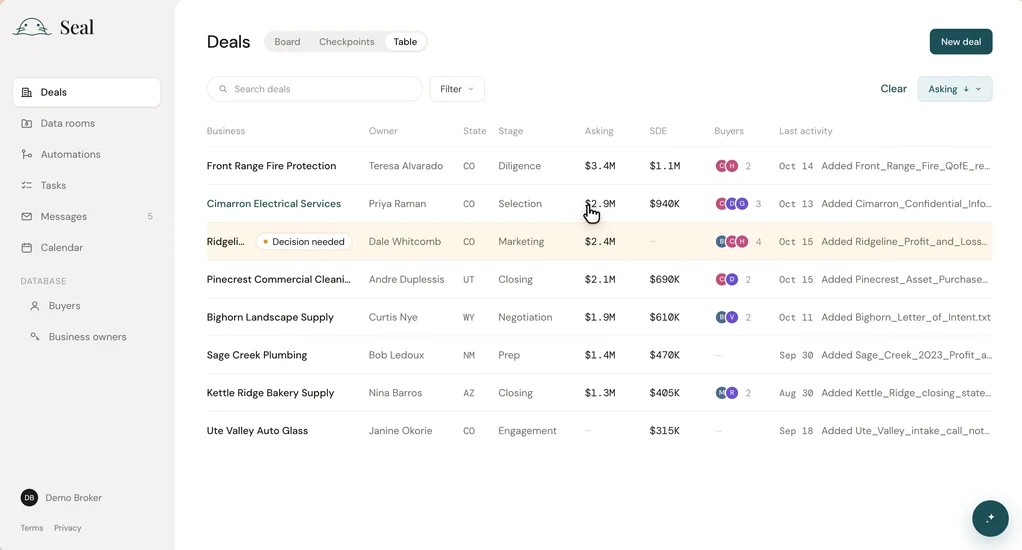
A table view for your deals

Deals now has a Table view next to Board and Checkpoints. You can see every deal on one screen with its owner, state, stage, asking price, SDE, buyer count and last activity. Sort by any column, filter by state, stage or owner, and click a row to open the deal.

What should we build next?